
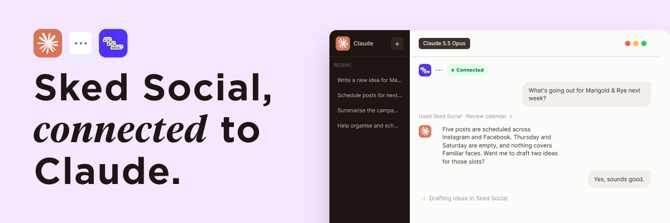
What you can do?
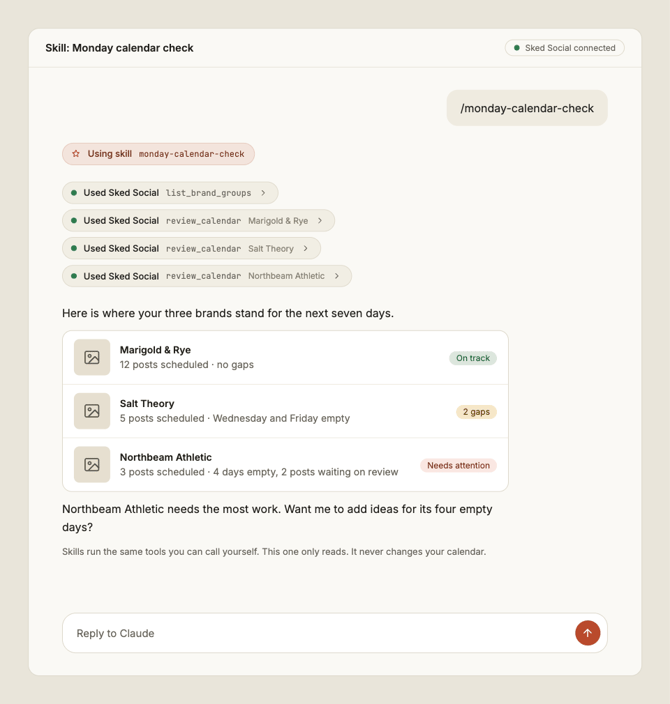
- Plan the week. See what's scheduled, spot the gaps, and turn ideas into drafts.
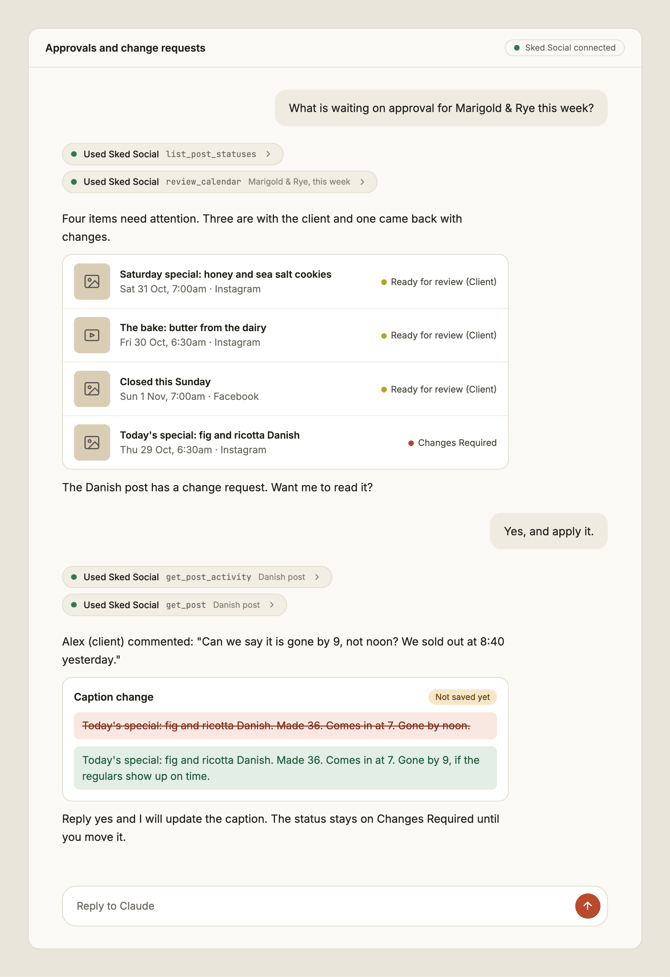
- Review feedback, make changes, update statuses. Find posts waiting on approval, update copy from feedback, and change statuses in batches.
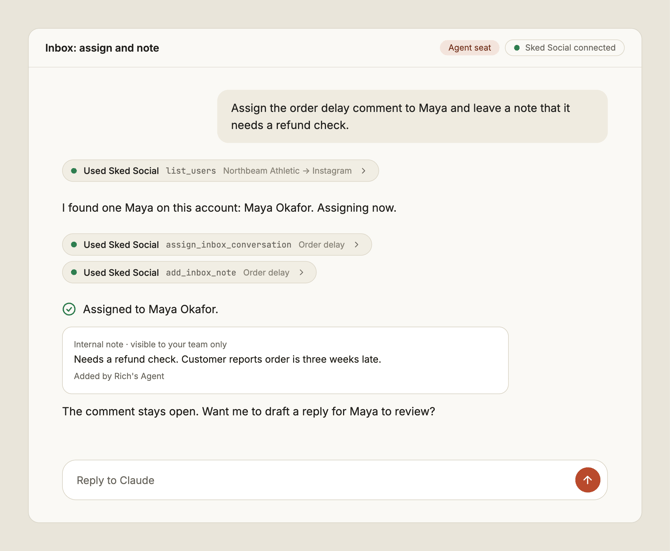
- Work the inbox. See sentiment, assign and close conversations, and draft replies from your templates. A person always sends.
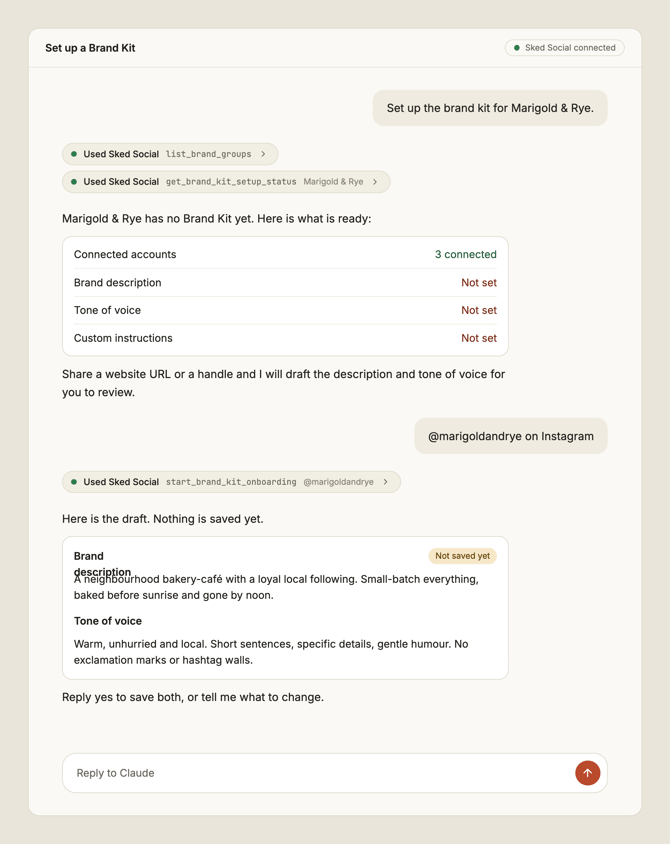
- Keep the brand consistent. Claude reads your tone of voice, words to avoid, and content pillars, and uses them as the rulebook.
Everything Claude does is logged against "[Your name]'s Agent", so your team can always tell it apart from your own work.
Connect in three steps- In Claude, go to Settings → Connectors and select Add custom connector.
- Paste in
https://app-mcp.skedsocial.com/mcpand select Connect. - Sign in with your Sked Social account and approve the connection.
That's it. There are no keys or tokens to copy. If you use Claude Code or Cowork, or you want ready-made skills, see Create your own agents with Sked Social skills. For the full steps and troubleshooting, see Connect Claude to Sked.
Everyone can start with a limited set of tools. An agent seat adds the full set. See Agent seats.
Try these firstStart a new conversation in Claude and paste in a prompt. Claude picks the right tools on its own. If you have more than one brand group, it asks which one to use.
Scheduling and ideas
- "What's going out next week, and where are the gaps?"
- "Turn these meeting notes into five post ideas in our brand's tone."
- "Draft a post from my newest idea and schedule it for Thursday at 9am."
Approvals
- "Which posts are waiting for review? Flag anything due this week."
- "Read the change requests on this post and update the caption to match."
- "Move everything I've approved this week to scheduled."
Inbox
- "Show me this week's negative comments and draft replies from our templates."
- "Assign the unanswered conversations to the team member who handled them last."
Brand
- "Set up my Brand Kit."
- "Check this caption against our tone of voice and words to avoid, and suggest edits."
Analytics
- "How did last month go across my brands?"
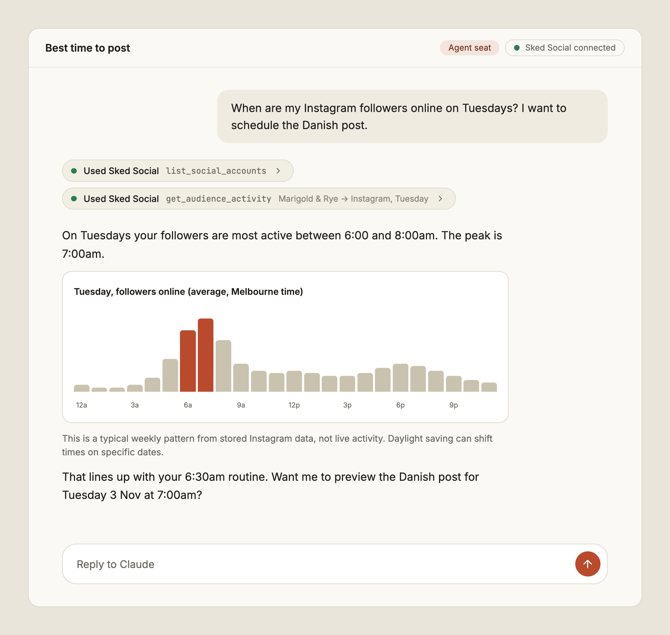
- "When is my audience most active on Instagram?"
Prompts like these also work as starting points for your own agents. See Create your own agents with Sked Social skills.
These are the tools Claude can use in Sked Social. You don't need to name them. Describe what you want and Claude chooses. Some tools, including Inbox and audience activity, need an agent seat. See Agent seats.
Brand and accounts
|
Tool |
What it does |
|---|---|
|
|
Lists the brand groups you can work in |
|
|
Lists the connected social accounts for a brand group |
|
|
Lists the people on your account, for assigning work |
|
|
Reads the Brand Kit: description, tone of voice, words to avoid, content pillars, and custom instructions |
|
|
Checks how complete the Brand Kit is |
|
|
Starts guided Brand Kit setup |
|
|
Writes the Brand Description |
|
|
Writes custom instructions for your agents |
|
|
Lists content labels, including content pillars |
|
|
Creates, edits, and archives content labels |
Calendar and scheduling
|
Tool |
What it does |
|---|---|
|
|
Shows what's scheduled and where the gaps are |
|
|
Finds posts by date, status, account, or label |
|
|
Reads one post in full |
|
|
Edits a post, including its status and schedule |
|
|
Lists the statuses a post can have |
|
|
Previews a new draft, then saves it when you confirm |
|
|
Schedules a draft, converting it to a post |
|
|
Adds and edits notes on the calendar |
|
|
Finds media in your library |
Ideas
|
Tool |
What it does |
|---|---|
|
|
Lists ideas for a brand group |
|
|
Adds an idea, with or without Claude shaping it |
|
|
Turns a link into an idea |
|
|
Adds ideas based on your Brand Kit |
|
|
Edits an idea |
|
|
Moves one or many ideas through your stages |
|
|
Helps develop an idea further |
|
|
Previews turning an idea into a draft, then saves it |
|
|
Reads the comments and history on ideas |
|
|
Adds, edits, and removes comments on an idea |
Approvals and comments
|
Tool |
What it does |
|---|---|
|
|
Reads comments, change requests, and status history on a post |
|
|
Adds, edits, and removes comments on a post |
Inbox (needs an agent seat)
|
Tool |
What it does |
|---|---|
|
|
Lists your inbox boards |
|
|
Lists conversations, filtered by sentiment, status, platform, account, or assignee |
|
|
Reads a full conversation |
|
|
Lists your reply templates |
|
|
Saves a draft reply. A person sends it |
|
|
Assigns a conversation to someone |
|
|
Closes or hides conversations |
|
|
Adds an internal note |
Analytics
|
Tool |
What it does |
|---|---|
|
|
Summarizes performance for a brand group |
|
|
Shows when your audience is most active (needs an agent seat) |
- Create your own agents with Sked Social skills: use ready-made skills or build your own, and run them from your own Claude.
- Agent seats: see what a seat adds, and how to assign one.
- Connect Claude to Sked: full connection steps and troubleshooting.
If Claude can't do something you expected, tell it. It can send feedback to the Sked Social team about a missing tool or a problem, and it will tell you what it's sending.