
Brand Kit is where you store the foundational elements that power AI Create.
-
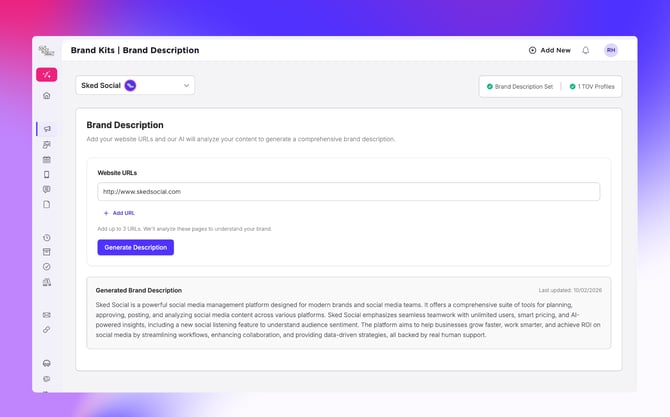
Brand Description: Fast-track your onboarding by analyzing your website URL.
-
Tone of Voice: Create multiple profiles (e.g., "Professional LinkedIn" vs. "Playful Instagram"). The AI even detects nuances like your preference for em dashes or UK vs. US English.
-
Custom Instructions: Fine-tune the "blueprints" the AI uses to write. If outputs feel too long or complex, you can edit these instructions to match your preferred style.
-
Hashtags and Keywords: Provide core terms to help the AI optimize for search and maintain brand consistency.
-
Labels: Content Pillars and Campaigns have a new home here, featuring a visual overhaul and smarter detection tools.
Brand Description
The Brand Description gives the AI the context it needs to represent you accurately. Simply enter your primary website URL (and any secondary sources), and we’ll analyze the content to generate a short organizational summary. This summary is layered into every AI request to improve the quality of your results.
-
Note: Manual free-text editing for descriptions is coming soon.
Tone of Voice
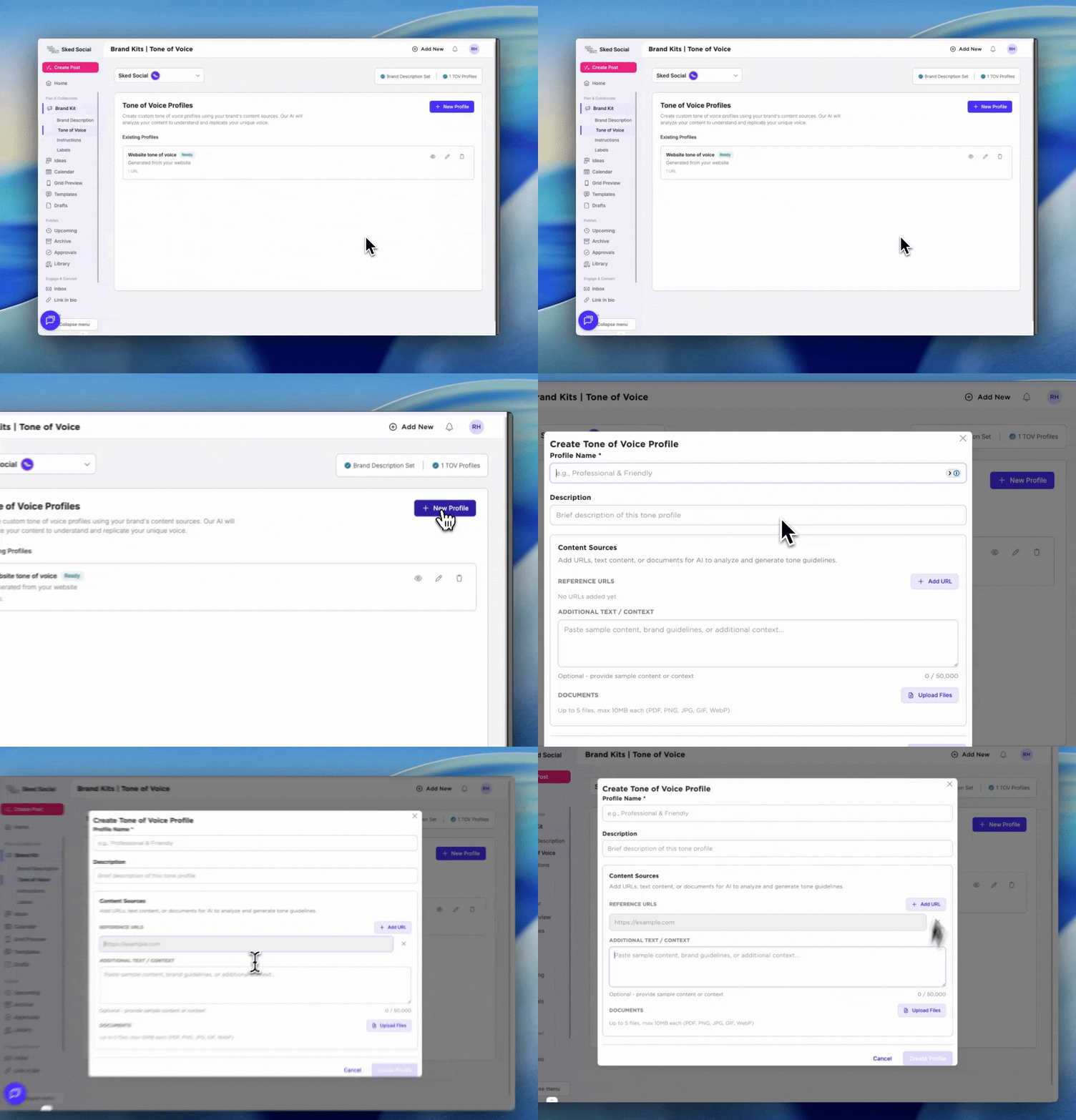
Tone of Voice profiles allow you to set up multiple "personalities" for a single brand group.
-
Setup: For a quick start, enter a URL or blog. For fine-grained control, upload a Brand PDF, and we’ll process it into a compact tone document.
-
Flexibility: You might have a general voice for most content, but a specific "Company" voice for LinkedIn. When using generative tools in Ideas, you can select the perfect TOV on a per-idea basis.
-
Nuance: We specifically look for things like em dash usage in your existing content and intelligently apply those rules to generated text.
Custom Instructions
Custom instructions guide the AI toward your preferred style or output format. While these are great for fine-tuning, remember that the strongest guidance comes from your Content Pillars and Brand Kit elements. Providing high levels of detail in those fields will always produce better results than custom instructions alone.
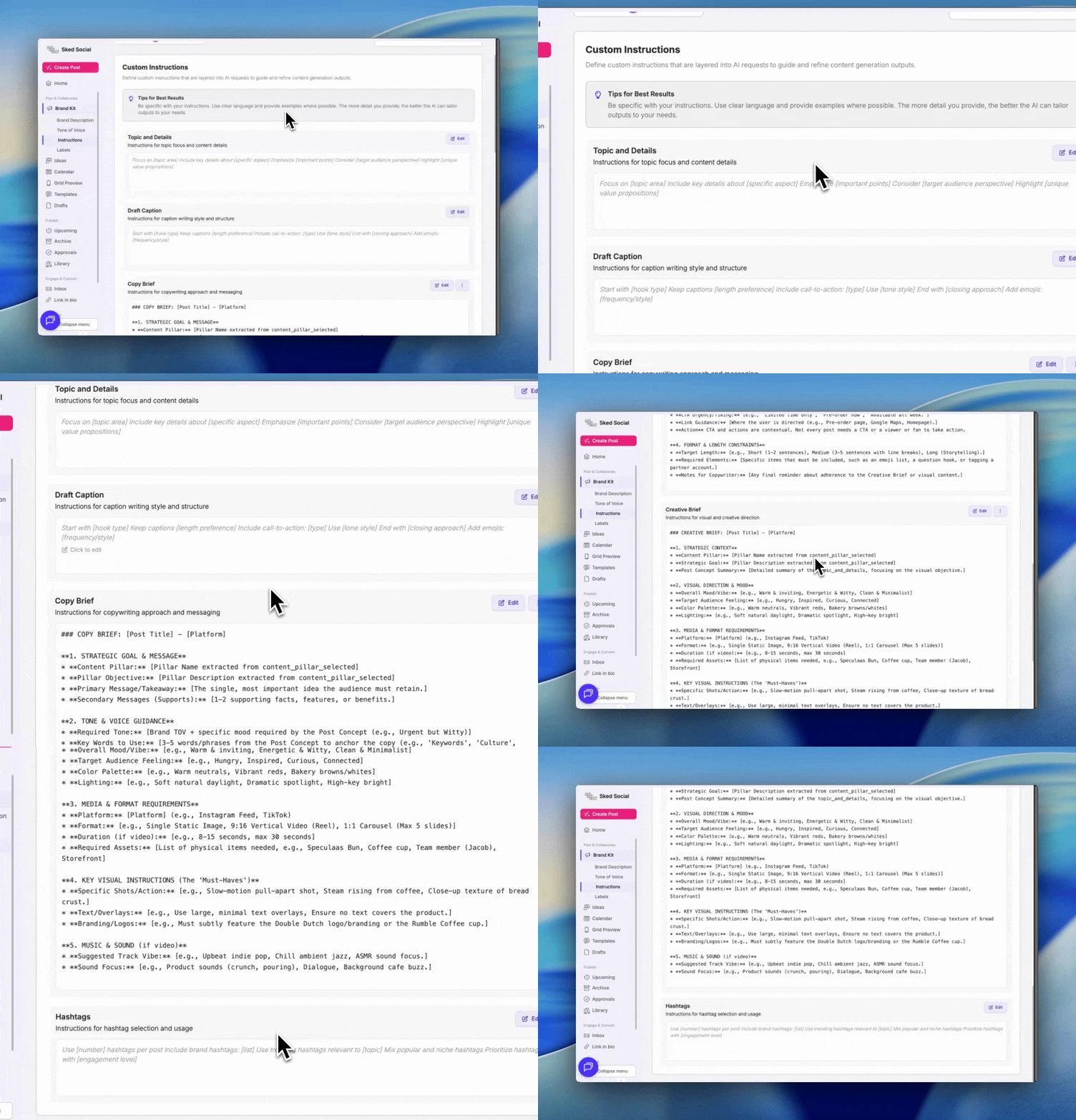
Copy and Creative Brief frameworks
The Brief and Caption Brief sections contain the exact frameworks we use to generate fields in Ideas. If you find the AI’s suggestions are too detailed or the structure isn't quite right, simply edit the frameworks to match the length and level of detail you need.
-
Note: These are layered into the AI request to ensure outputs follow the structure you’ve defined. You can reset them to the "factory state" at any time.
Hashtags and Keywords
The hashtags and keywords you enter serve as guidance for the AI. They won’t always appear 1:1 in every post; instead, the AI uses them as anchors to build upon.
-
Note: We don’t currently tap into live trend data—treat these entries as keywords to optimize your content for search and consistency.
Labels and Content Pillars
Your content strategy needs a dedicated home, so we’ve relocated Labels and Content Pillars directly into the Brand Kit. Alongside a fresh visual overhaul, we’ve upgraded our behind-the-scenes detection tools to more accurately map your existing strategy from past posts.
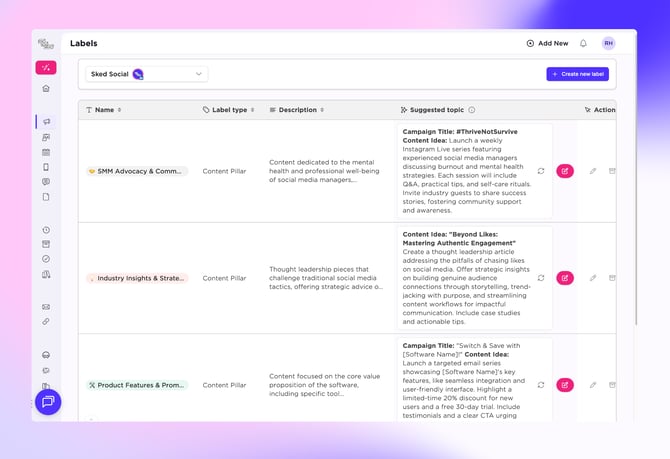
This is your central hub for auditing your core topics—allowing you to refine your pillars or add new campaigns on the fly to keep your Ideas workspace organized and strategically focused.
Pro tip: make sure your content pillar details are complete and detailed, or AI Create won't be able to utilise your content pillars correctly.