
To receive manual publishing notifications on your phone, you’ll need to first update your push alert notification preferences in Sked.
When manual publishing is needed
Manual publishing is used when a post includes features that need to be added directly in the native app. This can include:
- trending audio
- Reels collaborators
- Instagram Stories stickers or interactive elements
- other platform-specific features not supported by automatic publishing
To set your notification preferences to get push alerts:
-
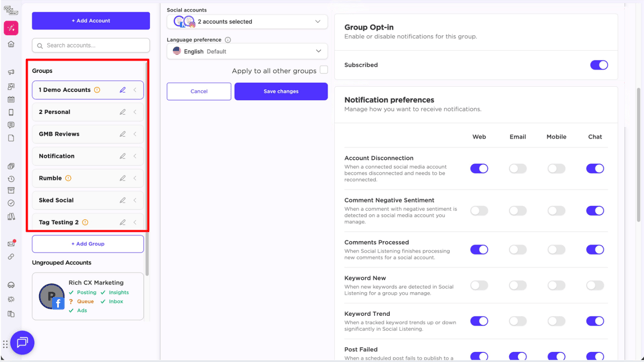
Head to your Group Settings and turn on Group Opt-In
-
Enable Notifications for the group(s) you want to subscribe to:
-
Post Notifications for manual publishing alerts are automatically configured as on for Mobile by default, and you can configure additional channels and settings from the preferences pane.
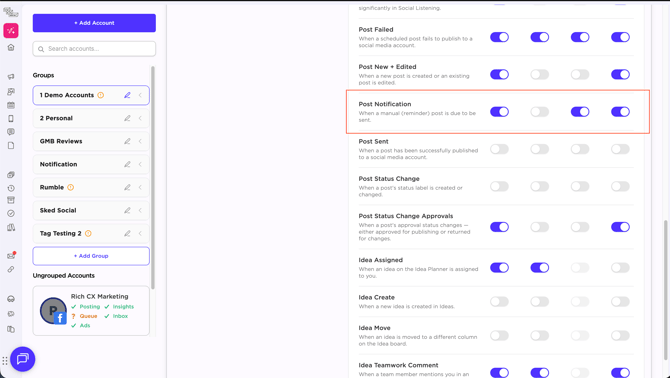
Note: Preferences shown are your own user preferences, each users will only see their own preferences on this screen.
Email alerts will continue to be delivered, and will be migrated to the new system in the near future.