
Not anymore. You can now select your LinkedIn video thumbnail directly in the Sked post form, the same way you already do for TikTok and Instagram.
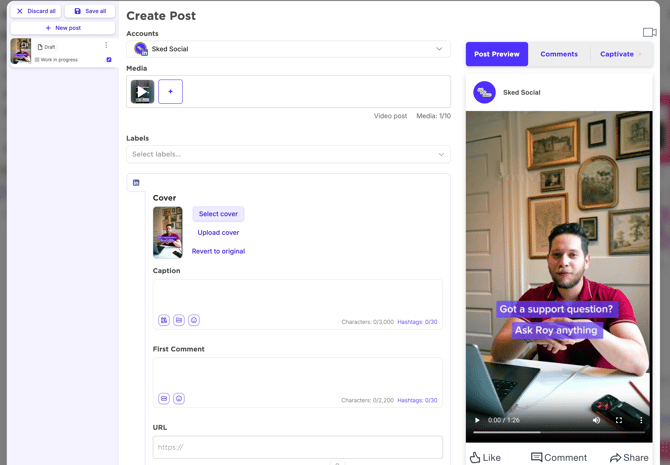
Here's what's available:
- Select cover — scrub through your video and pick the exact frame you want shown
- Upload cover — drop in a custom image for full creative control
You'll find these controls in the LinkedIn tab when creating a video post. If you're posting to multiple platforms at once, your LinkedIn thumbnail selection is independent — it won't affect your TikTok or Instagram covers.
It's a small change with a big impact on how your LinkedIn content looks in the feed. First impressions matter, and now you're in control of yours.
Head to Sked and give it a try next time you schedule a LinkedIn video.